K
Now on Google Play

Read your soil.
Know what to grow.

A mobile field assistant that brings laboratory precision to soil testing — offline-first and completely free. Lab scan, Quick Munsell scan, or Manual input — three ways to get a full soil report with fertilizer schedule and AI recommendations.

3
Input Modes
Free
No Credits Needed
100%
Offline Ready
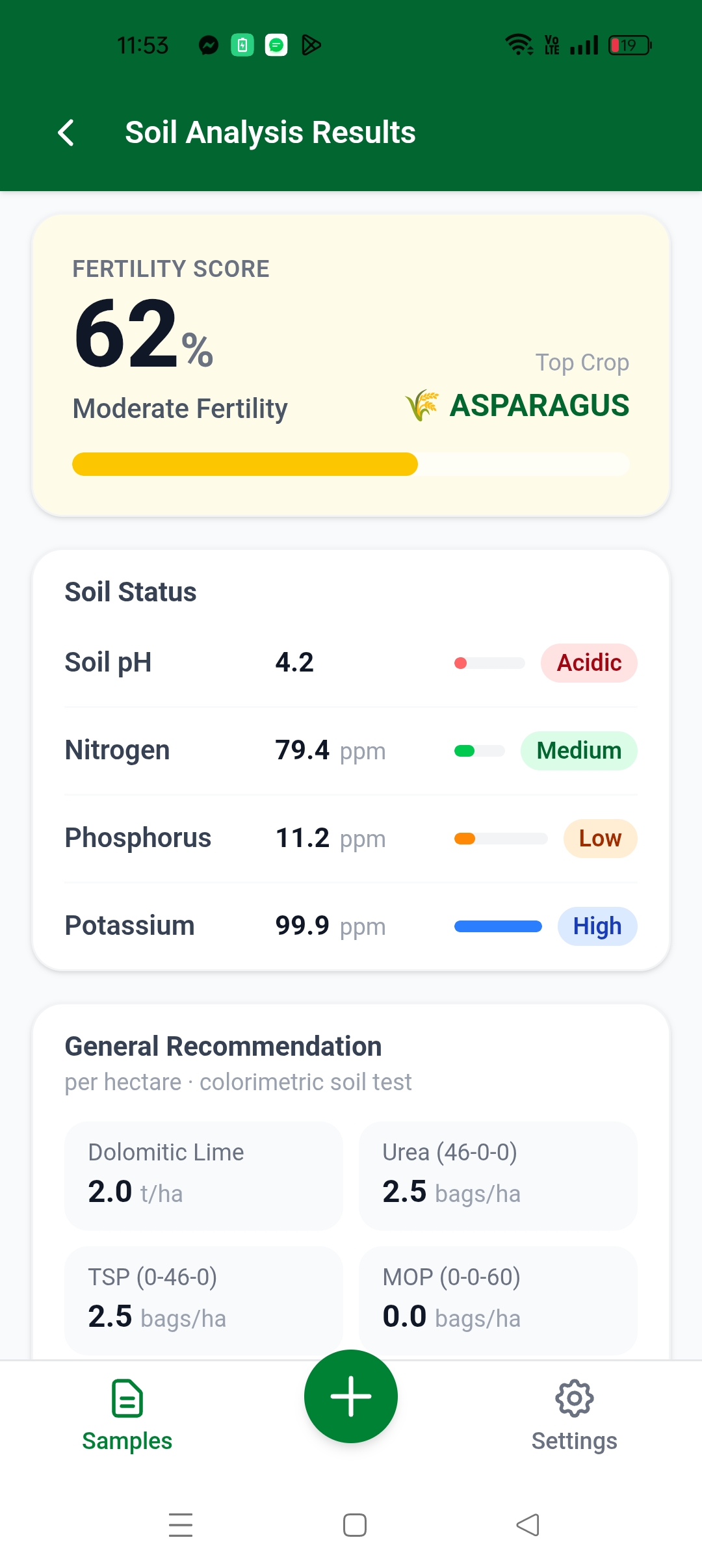
pH 4.2 — Acidic
Single Test · Free
STK Soil Analyzer
Free
pH Level
4.2
Very Acidic
Nitrogen
Medium
OK
See it in action

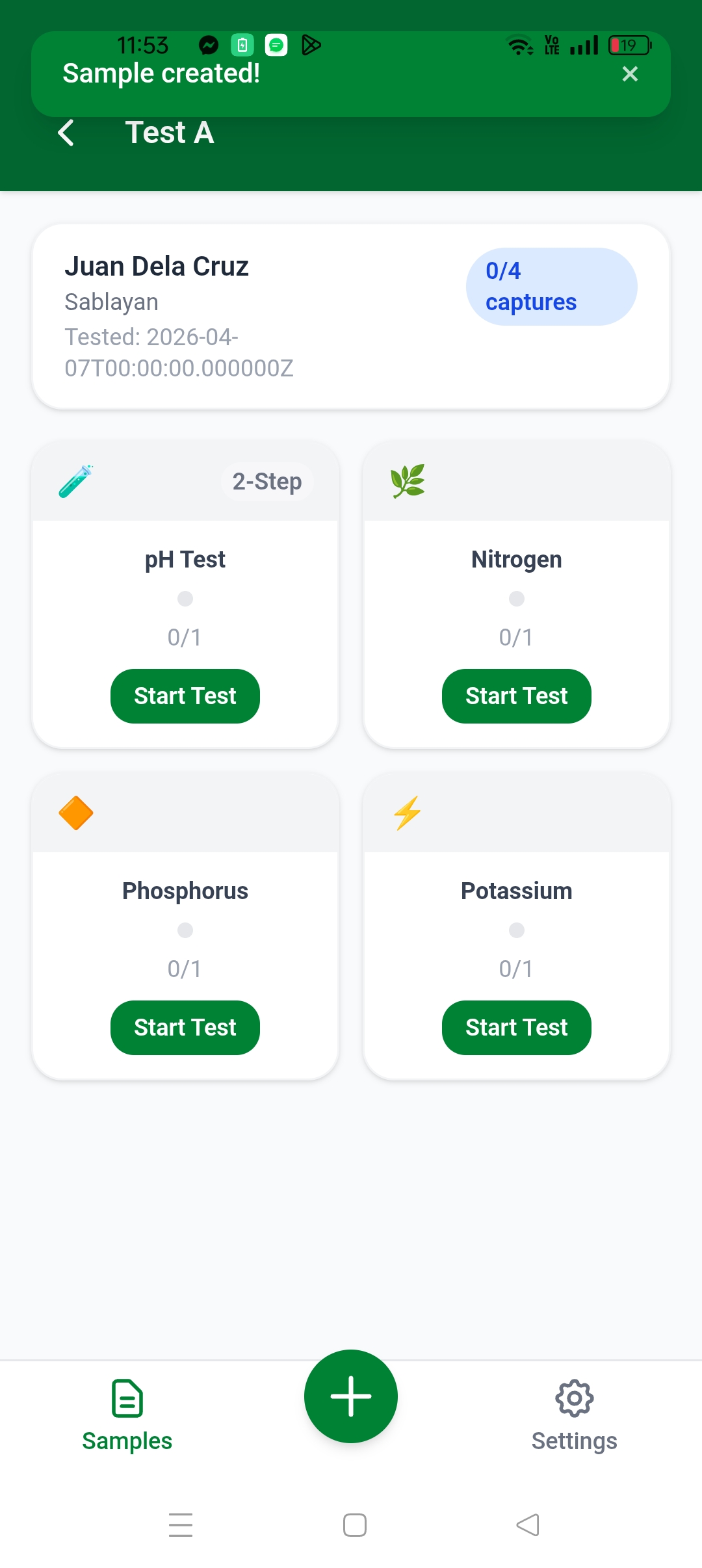
Clean, minimal interface designed for fast field use — no clutter, no confusion.

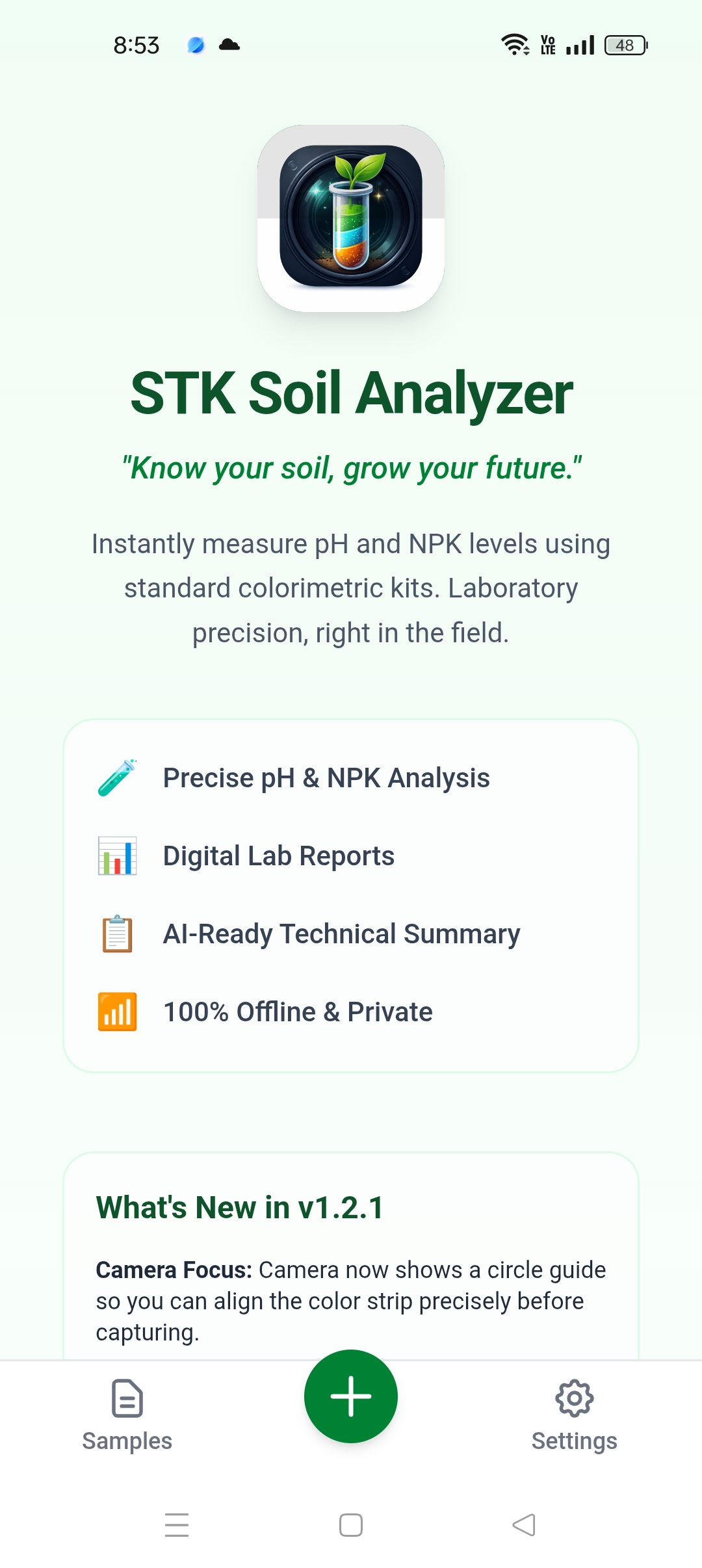
Welcome Screen
🌱
WELCOME
Welcome
App intro & get started
Test Screen
📷
CAPTURE
Test Strip
Camera capture & color read
Result Screen
📊
RESULTS
Results
pH & NPK analysis output

Available on Android · Download free on Google Play →

Lab precision.
Zero lab required.

Your phone becomes a calibrated color reader. No internet. No equipment. Just your STK and a camera.

01
Choose your input mode
Lab Scan — camera capture with CIEDE2000 color matching. Quick Scan — Munsell soil color estimation, no reagent needed. Manual Input — type your readings directly or tap the reagent color strip to auto-fill.
02
Capture or enter values
Point the camera at your color strip, or tap the 12-color gradient strip in Manual Input to match what you see on the reagent pad. CIEDE2000 matches more consistently than the human eye.
03
Get your full soil report
Instantly see pH, Nitrogen, Phosphorus, and Potassium levels with a Soil Report Card, fertility score, crop suitability, and a Fertilizer Schedule with exact bag counts per hectare.
04
Share or ask any AI
Share individual report cards as images. Or copy the structured AI prompt to paste into ChatGPT, Claude, or Gemini for crop-specific fertilizer and amendment recommendations.
Objective readings.
Structured output.

Designed for agriculture students, farm technicians, and researchers who need accurate chemical data — not guesswork.

🎨
CIEDE2000 Color Matching
Industry-standard color difference algorithm that reads pH and NPK strips with greater consistency than the human eye — even in varying field lighting.
💬
Structured Prompt Generator
Converts your soil chemical data into a clean, technical summary. Copy to clipboard and paste into any external AI model for fertilizer and crop recommendations.
### SOIL ANALYSIS REPORT
Target Crop: PATOLA
Field Area: 1 hectare
------------------------------------------
### TEST STRIP RESULTS (STK)
- Soil pH: 4.2 (Extremely Acidic)
- Nitrogen (N): MEDIUM
- Phosphorus (P): LOW
- Potassium (K): HIGH
------------------------------------------
### ANALYSIS REQUEST
1. Recommended fertilizer types and NPK ratios.
2. Total nutrients required for the specified area.
3. Optimized application schedule (basal + top-dress).
4. Soil amendment advice if pH is outside ideal range.
📊
NPK + pH Results
Full macro-nutrient profile: pH, Nitrogen, Phosphorus, and Potassium — the four core indicators for soil health and crop readiness.
🌍
Global Compatibility
Works with any standard soil test kit worldwide. No geographic restriction on the free version — usable in any country.
📋
Fertilizer Calculator
Input your crop, area, and location. Get structured fertilizer recommendations — type, amount per hectare, and application schedule.
🎛️
Custom Color Calibration
Every STK brand has slightly different color strips. Calibrate the reference colors for pH and NPK to match your exact kit — free, saved locally on your device. No two farms need the same setup.
🧪
Single Reagent Testing
Test only what you need — choose pH only, Nitrogen only, Phosphorus only, Potassium only, or the full NPK+pH Standard Lab. Each mode generates a focused result card, shareable report, and AI-ready prompt tailored to that single parameter.
🌾
Sample Management
Record soil samples with farm location and test date. Auto-assigned STK device ID per sample. Supports multi-sample tracking — tap any record to resume testing or view analyzed results at any time.
✏️
Manual Soil Input
Already have reagent readings? Skip the camera. Enter pH and NPK values directly — or tap the 12-color reagent gradient strip to auto-fill using CIEDE2000 matching calibrated to your active profile. Generates a full Soil Report Card, Fertilizer Schedule, and AI recommendation.
🌤️
Weather Advisory
Dedicated weather page showing current field conditions and an AI-generated farming advisory — ideal for timing fertilizer application. Keeps a history of your recent checks with time-ago labels.
👑
Premium — Watch Video
Watch a rewarded video ad to unlock 24-hour ad-free premium access. No subscription, no purchase required. All analysis features remain free — premium simply removes ads for a day.
Completely free.
Premium by choice.

All soil analysis features are free — no credits, no subscriptions. Watch a short video to unlock 24-hour ad-free premium access.

Premium
👑 24hr
watch a video · no purchase

  • Everything in Free
  • Ad-free for 24 hours
  • No boot gate ad on startup
  • No native ads in lists
  • Renew anytime by watching another video
Get the App
Terms & Conditions

Last updated: 2026

1. Purpose

STK Soil Analyzer is designed as a field guidance tool for estimating soil pH and NPK nutrient levels using colorimetric test kits. Results are approximations and should not replace certified laboratory soil testing for critical agricultural decisions.

2. Accuracy

Color-based readings depend on consistent lighting, test kit quality, and proper technique. The developer does not guarantee accuracy of results.

3. Limitation of Liability

The developer (Harold Rita) is not liable for any agricultural losses, decisions, or damages arising from the use or misuse of this application.

4. Data Ownership

Your soil sample data, test results, and field records are stored exclusively on your device and belong to you. The developer has no access to your sample data. An anonymous device identifier is sent to our server solely to secure calibration data sync — it contains no personal information and cannot be used to identify you.

5. Changes

These terms may be updated with new app versions. Continued use constitutes acceptance of updated terms.

Privacy Policy

Last updated: May 17 2026 · Your privacy is important to us.

Personal Data

STK Soil Analyzer does not collect your name, email address, or phone number. No account or sign-up is required to use the app.

Location

The app requests access to your device location for two purposes:

  • Weather Advisory — your current coordinates are sent to a public weather API to fetch real-time local weather conditions and generate a farming advisory relevant to your field. Location is used only at the moment you open the Weather page and is never stored on our servers.
  • Farm Sample Location — when you create a soil sample, you may optionally attach a GPS coordinate to identify the field location. This data is stored only on your device and is never uploaded or shared.

Location access is requested only when needed for these features. You may deny the permission — core soil analysis functions remain fully available without it.

Your Soil Data

All soil samples, test results, and field records you create are stored exclusively on your device. This data is never uploaded to any server and the developer has no access to it.

Internet Use & Calibration Sync

Core features (capture, analysis, reports) work fully offline. An internet connection is used in the following cases:

  • Calibration sync — on first install and when you tap Update in Settings, the app downloads the latest pH and NPK reference color data from our server. No data is uploaded.
  • Rewarded video ads — watching a video to activate 24-hour premium access is handled by Google AdMob. AdMob's privacy policy applies to that interaction.
  • AI recommendations — optional, you copy a structured prompt to paste into an external AI tool of your choice. No soil data is sent automatically.

Anonymous Device Identifier

To secure calibration sync, the app sends a hardware-generated anonymous device identifier to our server on first install. This identifier contains no personal information and cannot be used to identify you. Our server stores it alongside a randomly generated security token for the sole purpose of authenticating calibration data requests. It is never shared with third parties.

Camera

Camera access is used solely to capture photos for on-device color analysis. Photos are processed locally and are never uploaded or stored beyond the immediate analysis session.

Third-Party Services

The optional AI recommendation feature generates a structured text prompt that you copy and paste into an external AI model (e.g. Claude, ChatGPT) of your choice. No soil data is sent to these services by this app — usage is entirely at your discretion and governed by each service's own privacy policy.

Data Retention

The anonymous device identifier stored on our server is retained for as long as you use the app to allow calibration sync. Uninstalling the app does not automatically remove it from the server, but it contains no personal information and cannot be linked back to you.

Contact

For privacy concerns or to request deletion of your device record from our server, contact the developer at github.com/phpthinky or via the in-app feedback button.

Precision readings.
Ready for any AI.

Free to download. Core features work offline. No account required.

Download on Google Play